Hexo-asset-image插件生成绝对图片路径错误
前言
之前都是在Linux环境下搭建Hexo博客写文章,用Hexo new page [page name] 来新建page name文章,执行该命令时候,会同时生成一个文章名称相同文件夹,该文件夹用来存放与此篇博客相关的资源文件,常用的如图片等,在博客里面引用图片使用的是相对路径,这样方便每篇博客文章和相应的图片资源一起分类管理。但是切换到Windows环境下搭建Hexo博客写文章,用同样的方式却无法加载出图片。
问题描述
之前写的博客Hexo博客保存与恢复文章中博客图片相对路径配置问题章节内总结了使用相对路径法存博客图片资源,分以下两步骤:
首先安装Hexo-asset-image插件:
npm install hexo-asset-image --save
然后,修改站点配置文件_config.yml:
post_asset_folder: true
此方法在Linux环境下工作正常,但是切换到Windows环境下写Hexo博客,出现如下无法加载出图片现象:
问题分析
- 在
Hexo s -g本地生成部署或Hexo d -g服务器生成部署时候,都显示如下生成图片绝对路径的打印: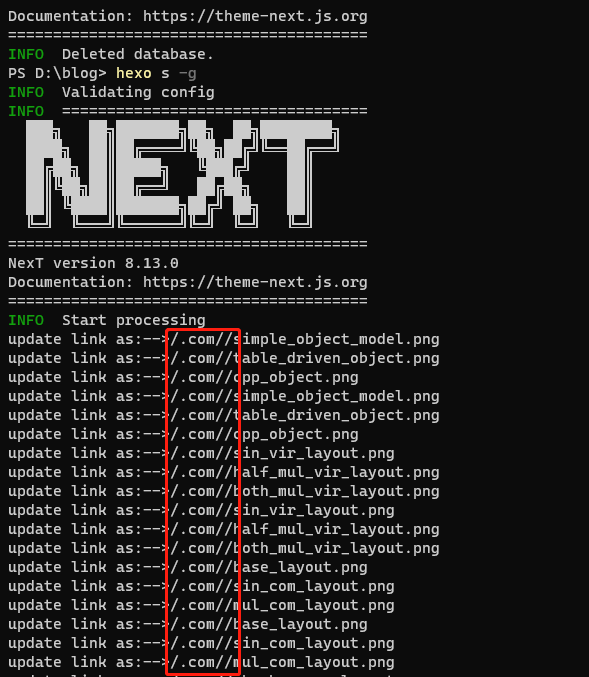
2.打开浏览器开发者模式,调试发现生成的绝对路径错误: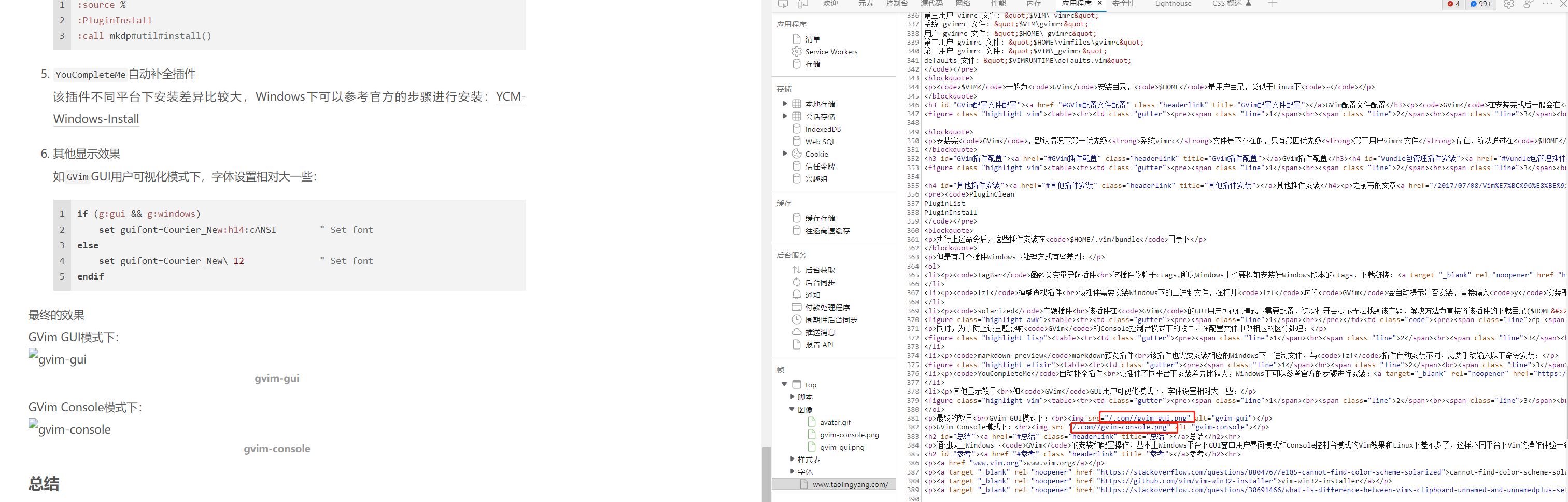

问题解决
打开
hexo-asset-image文件源代码处:1
2
3cd blog_root_dir
cd node_modules/hexo-asset-image/
vim index.js在
index.js文件58行左右,修改如下,注释掉错误的两行,增加正确的绝对图片路径两行代码如下:1
2
3
4
5// $(this).attr('src', config.root + link + src);
// console.info&&console.info("update link as:-->"+config.root + link + src);
$(this).attr('src', data.permalink+ src);
console.info&&console.info("update link as:-->"+data.permalink+ src);